
Table of Contents
Before you start exploring the world of Arknights Endfield, it's important to check whether your device is up to the task. The game launches on January 22nd, 2026, and its open-world format requires more power than the original Arknights. In this guide, you can check out all the details for Arknights Endfield system requirements.
Arknights Endfield System Requirements
It's pretty surprising that for Arknights Endfield, you actually don’t really need the newest, most expensive gaming setup to play. The game works on older PCs and mid-range phones as well. But you will need plenty of free storage space and some decent hardware to enjoy smooth gameplay. Here is the complete system requirements for different platforms:
PC System Requirements
Here are the minimum and recommended requirements to play Arknights Enfield on PC:
| Component | Minimum | Recommended |
|---|---|---|
| Operating System | Windows 10 (64-bit) or Windows 11 (64-bit) | Windows 11 (64-bit) |
| DirectX Version | DirectX 11.1 or higher | DirectX 11.1 or higher |
| Processor | Intel Core i5-9400F or equivalent | Intel Core i7-10700K or equivalent or higher |
| Graphics Card | NVIDIA GTX 1060 or equivalent | NVIDIA RTX 2060 or equivalent or higher |
| Memory | 16GB RAM | 16GB RAM or higher |
| Storage | 50GB SSD + 40GB free for installation | 50GB SSD (NVMe recommended) |
Android System Requirements
Here are the minimum and recommended requirements to play Arknights Enfield on Android:
| Component | Minimum | Recommended |
|---|---|---|
| Operating System | Android 10.0 or HarmonyOS 2.0.0 or higher | Android 11.0 or HarmonyOS 4.0.0 or higher |
| Processor | Snapdragon 855 / Dimensity 1000 / Kirin 990 or equivalent | Snapdragon 8+ Gen 1 / Dimensity 9000 / Kirin 9000S or equivalent or higher |
| Memory | 6GB RAM | 8GB RAM or higher |
| Storage | 25GB free space | 25GB free space |
Important note: HarmonyOS NEXT is not supported at launch. Devices running this version will need to wait for a future update before the game becomes playable.
Compatibility note: Except for Imagination's D-Series, other PowerVR GPUs are not supported.
iOS System Requirements
iPhone and iPad users need these minimum and recommended specs:
| Component | Minimum | Recommended |
|---|---|---|
| Operating System | iOS 15.0 / iPadOS 15.0 or later | iOS 15.0 / iPadOS 15.0 or later |
| Device | iPhone XS or iPad (A12 chip or newer) | iPhone 13 Pro or iPad (A15 chip or newer) |
| Memory | 4GB RAM | 6GB RAM or higher |
| Storage | 25GB free space | 25GB free space |
PlayStation 5 Requirements
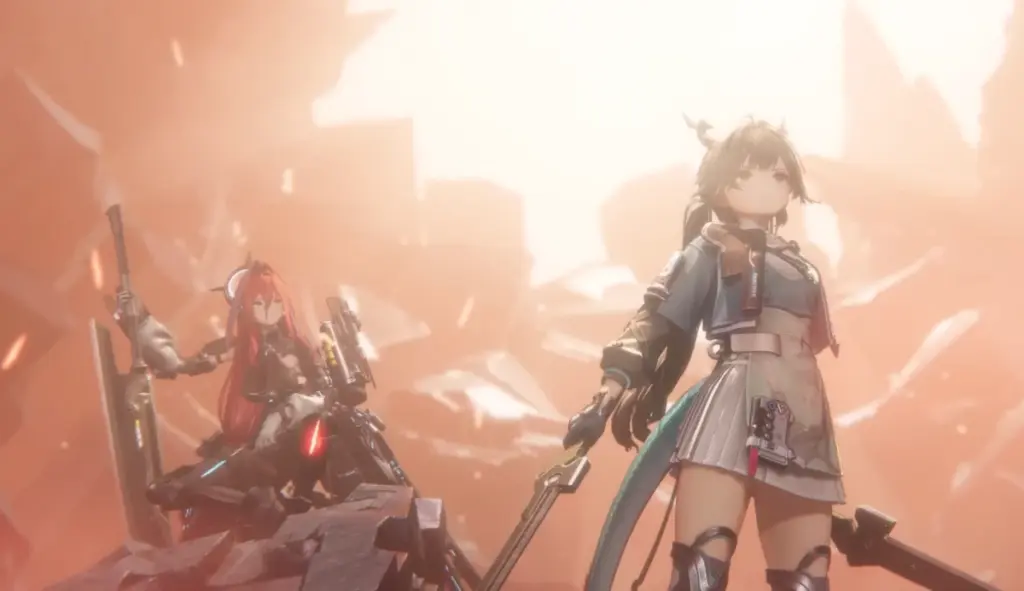
Arknights Endfield is coming to PS5 with some cool upgrades. The console version includes ray tracing for better shadows and reflections. Thanks to the PS5's fast SSD, the areas will also load instantly, so you won't have to wait around like on older systems. The PS5 controller's adaptive triggers and haptic feedback are also used in combat, to make the fights between characters feel more real.
If you have a PS4 or Xbox One, the game probably won’t run well. Those consoles are a bit too old and may not even reach 30 frames per second. On PS5, the game runs in true 4K resolution.
File Size and Storage Requirements
The download size changes depending on which platform you use:
| Platform | File Size |
|---|---|
| PC/Windows | 50GB or more |
| Android | 25GB or more |
| iOS | 25GB or more |
| PlayStation 5 | 60GB or more |
For PC, you actually need 90GB of free space total. The game itself is 50GB, but you need an extra 40GB during installation to unpack all the files. After installation finishes, you can free up that extra space.
Mobile versions need 25GB, but having more free space helps your device run smoothly. Your phone or tablet performs better when it's not completely full.
Why You Need an SSD for Arknights Endfield
Arknights Endfield ran the second beta test back in November 2025, and the biggest complaint was the loading times. If you had a regular hard drive instead of an SSD, you'd wait around 30 seconds just to move between areas in your base.
That's why the developers now strongly recommend using an SSD for the game. An SSD also reduces stuttering when you move between different areas. The game loads textures and assests much faster, which keeps your frame rate stable during gameplay.
Can Older Hardware Run It?
If your device barely meets the minimum requirements, you can still play, but expect some compromises. The game might look less detailed, and you'll need to accept lower frame rates during busy scenes.
The minimum specs target 1080p at 30 frames per second with low settings. That's playable, but not ideal for competitive content or if you care about smooth visuals, and honestly, for such games like Arknights Endfield, you really want it to be stunning.
Upgrading RAM is usually cheap and easy if you're a little short. Going from 8GB to 16GB on PC costs under $50 and makes a huge difference. SSD upgrades also don't cost much these days. For mobile, upgrading isn't an option. If your phone doesn't meet the specs, you'll need to wait for a new device or try cloud gaming instead.
If you think your specs are ready, don't forget to pre-download the game and learn the beginner's guide first, so you will know what to do when the game drops!