
Table of Contents
- 1 Official Download Links
- 2 When Can You Pre-download Arknights Endfield?
- 3 Arknights Endfield Release Countdown
- 4 How to Pre-download Arknights Endfield on PC
- 5 How to Pre-download Arknights Endfield on Mobile
- 6 How to Pre-download Arknights Endfield on PS5
- 7 How Much Space Do You Need?
- 8 Does Arknights Endfield Have Cross-Platform Save Data?
- 9 Important Notes Before Downloading
- 10 Does Arknights Endfield Have an Emulator?
- 11 System Requirements
Getting ready for Arknights: Endfield? You're going to want to download the game early so you can jump in right when it launches on January 22nd, 2026. The pre-download is officially available now, so here's everything you need to know about downloading and pre-downloading the game on your platform.
Official Download Links





- Pre-download is now available on all platforms including PC, PlayStation 5, and mobile devices on Android and iOS.
- You can download the game from the official website or grab it ridectly from the Google Play Store, App Store, PlayStation Store, and Epic Games Store.
When Can You Pre-download Arknights Endfield?
Pre-download for Arknights Endfield is available now on all platforms. You can start downloading the game and its resources right away to be ready for the official launch. Here's when you can expect to download and play the game:
| Event | Date and Time |
|---|---|
| Pre-download Opens | January 20, 2026 (UTC+8) |
| Official Release | January 22, 2026 (UTC+8) |
Arknights Endfield Release Countdown
The game officially releases on January 22nd, 2026 at 11:00 AM UTC+8 and the server will be open then. You can download all the files right now and be ready when the servers go live.
How to Pre-download Arknights Endfield on PC
Official Launcher
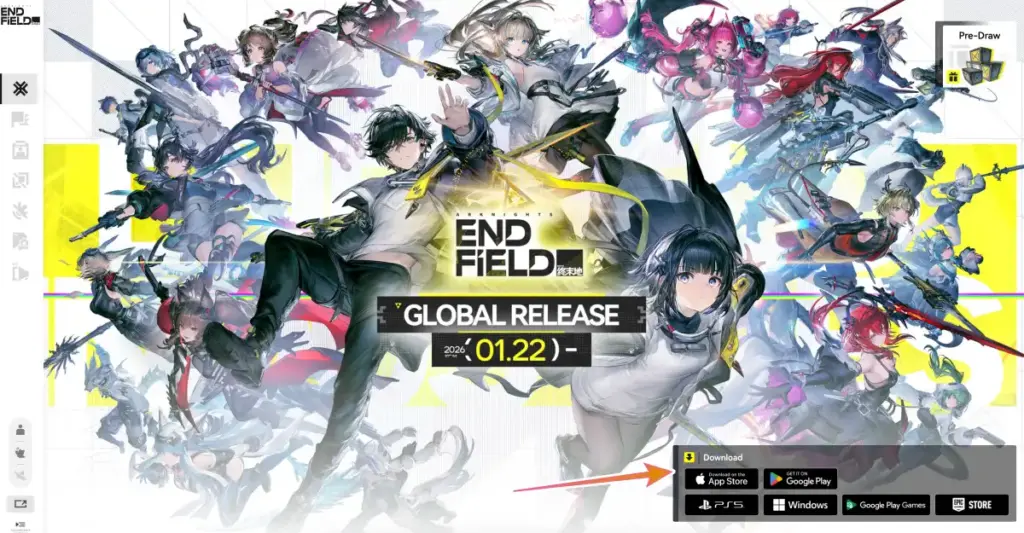
- Head to the official Arknights Endfield website and look for the launcher download on the bottom right of the screen.
- Download and install the official launcher.
- Once you've got it installed, the launcher will handle downloading all the game files.
Epic Games Store
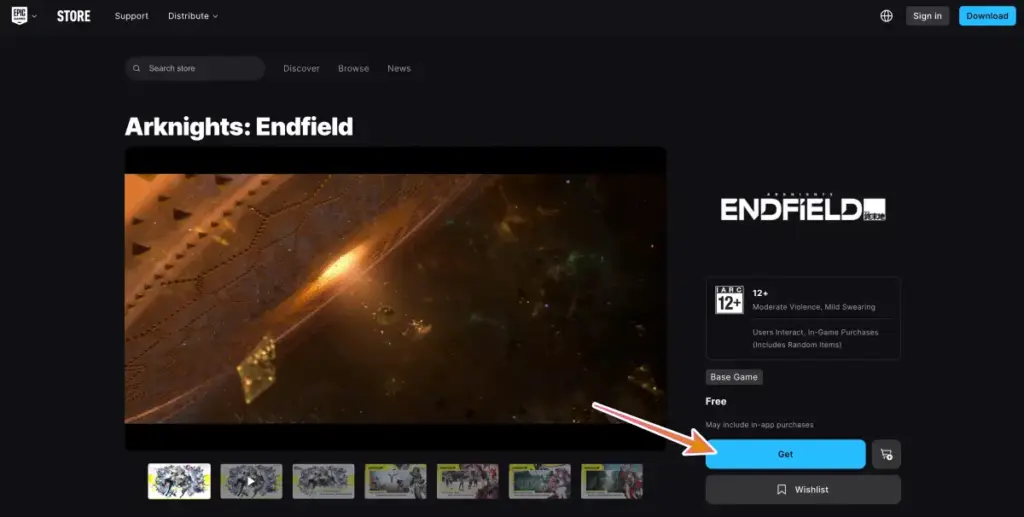
If you prefer using Epic Games, you can grab Arknights Endfield from there instead.
- Just search for the game in the Epic Games Store.
- Hit the Get button to download it, and Epic will take care of the rest.
How to Pre-download Arknights Endfield on Mobile
For Android Users
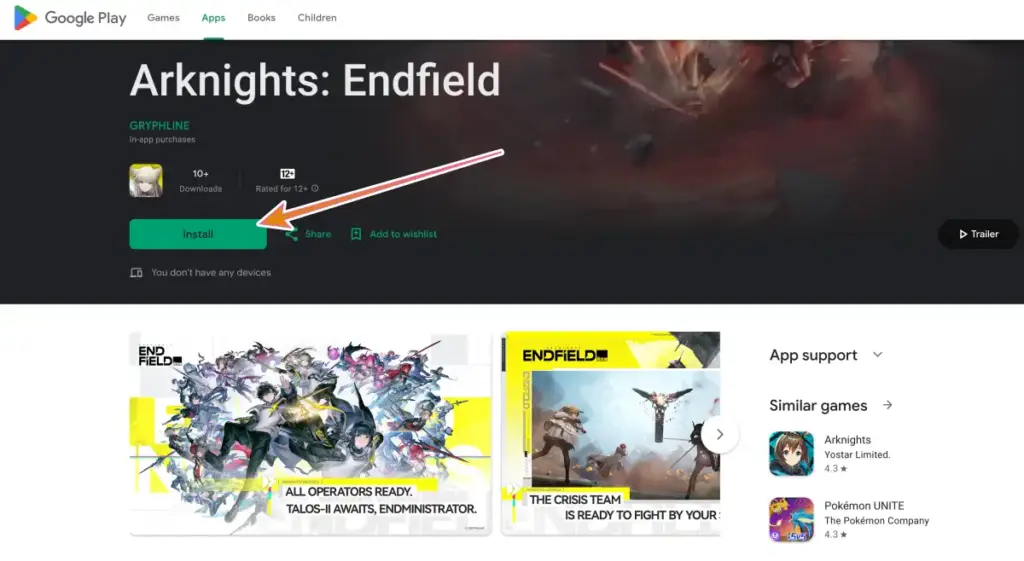
- Open up Google Play.
- Search for "Arknights Endfield."
- Hit the Install button and let it download.
- Once the app is on your device, open it up to start downloading the actual game content.
For iOS Users
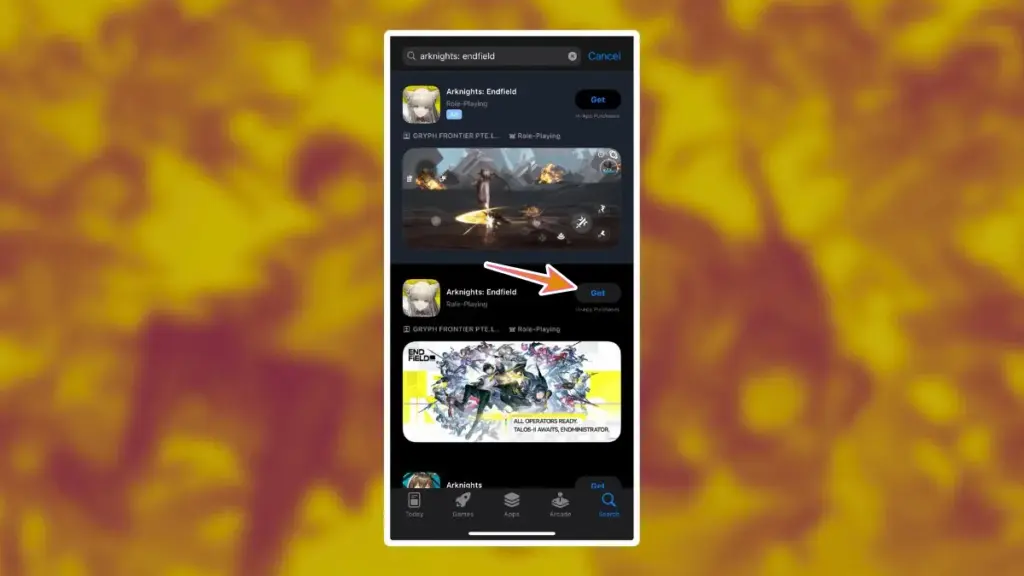
- Find the game in the App Store.
- Hit the Get button.
- Once it is downloaded, open it to grab the full game files.
How to Pre-download Arknights Endfield on PS5
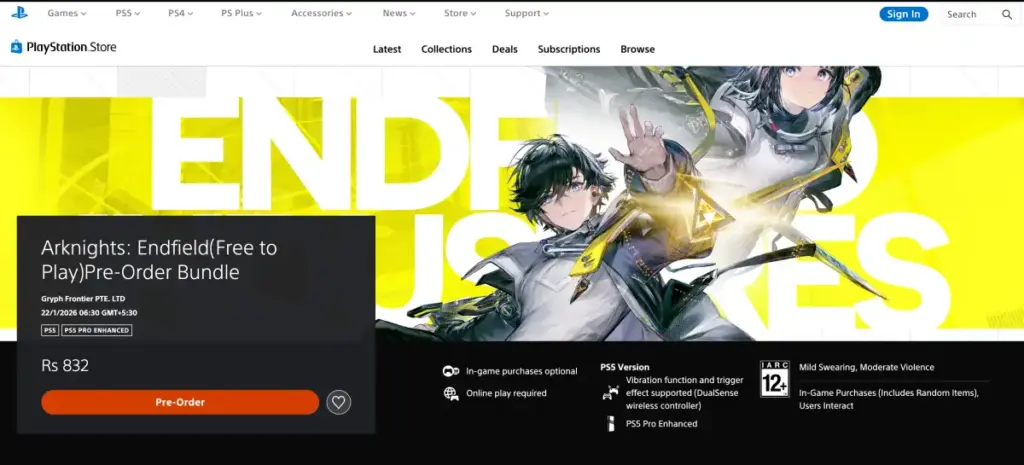
- Open the PlayStation Store on your console and search for "Arknights Endfield."
- You'll find the Pre-Order Bundle. Once you pre-order the game, it will automatically start downloading when pre-load becomes available on January 20th.
Make sure you have auto-download enabled in your PS5 settings. This way, the game will download even when your console is in rest mode.
How Much Space Do You Need?
The download size is different depending on what you're playing on. Here's what you need to know:
| Platform | Required Space |
|---|---|
| PC | 50GB or more |
| PlayStation 5 | 60GB or more |
| Android | 25GB or more |
| iOS | 25GB or more |
PC players should have around 105GB total free space to be safe. The game needs room to unpack all those files during installation.
If you're tight on space, delete some old games or apps you don't use anymore. Running out of space mid-download is frustrating and wastes time.
Does Arknights Endfield Have Cross-Platform Save Data?
Yes, your save data syncs across all platforms when you use the same account. So you can play on your PS5 or PC at home, then continue your progress on your phone when you are out.
You don't need to do anything special to enable this. Just make sure you're logged into the same account on each device and your progress will carry over automatically.
Important Notes Before Downloading
If you played any previous test versions of Arknights Endfield, you need to uninstall the old client first. The developers recommend removing the test version completely before downloading the official release.
Old test clients won't work and might cause problems if you try to update them. Just delete the old version and start fresh with the official release download. This applies to all platforms.
Does Arknights Endfield Have an Emulator?
Players can use third party emulators for PC such as BlueStacks and MuMu Player if there are any other issues with running the game.
We will have updated information on this topic after the game's official release with more details on compatibility and performance.
System Requirements
Before you start downloading, make sure to check out the minimum and recommended system requirements for the game in our guide!
Once you've got everything downloaded, the game won't let you play until January 22nd when the servers go live. When launch day arrives, you might need to download a small patch. Games usually have day-one updates to fix last-minute bugs.
After any update finishes, you will be able to finally check the available banner, pull for your Operator, redeem codes, and start exploring the world of Arknights Endfield right away.