
Table of Contents
In Arknights Endfield, you need to build AIC factories for you to be able to create various items in the game. Setting up these AIC factories can take hours if you do it all by yourself. However, the developer created a much easier way to handle this. They made a blueprint system that lets you save your factory setups and share them with other players. If you want to know how the system works, here is the guide on how to create and share AIC Blueprints in Arknights Endfield.
What Are AIC Blueprints in Arknights Endfield?
So Blueprints are basically saved layouts of your AIC factory buildings. They're super useful because the AIC system is probably the most complex base-building mechanic in any gacha game right now.
If you are the type of player who just like the combat session, then making these factories are going to be a pain. However, when you use AIC Blueprints, they automatically place all the buildings and production lines exactly as they were saved. Pretty convenient, right?
How to Create AIC Blueprints in Arknights Endfield
Here is how to create and save your own AIC factory layout:
Select Your Factory Area
- First, you need to enter your AIC and switch to Top View.
- Once you're in Top View, you can click and drag to select a specific section of your factory that you want to save.
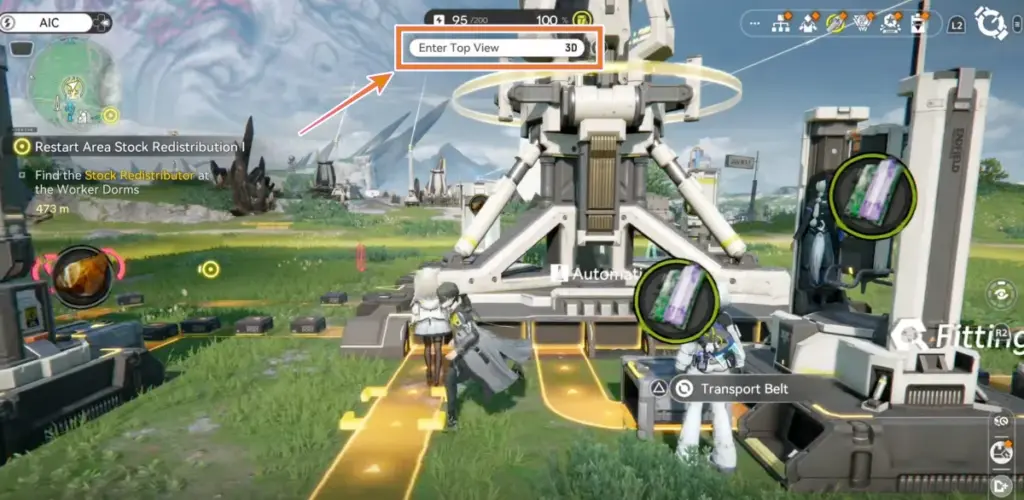
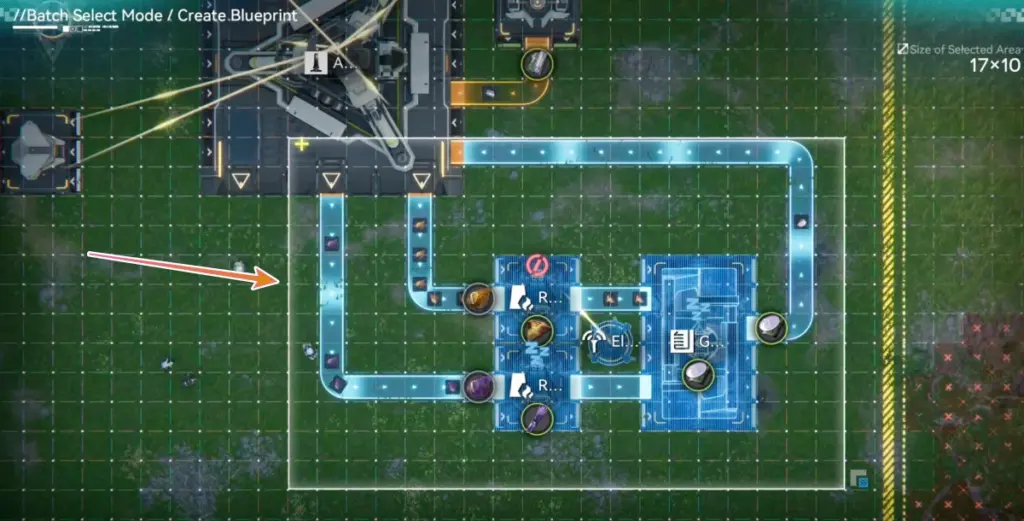
Not every structure can be saved in a blueprint, so double-check what you've selected before moving forward. Make sure you've grabbed all the important buildings in your production chain.
Save the AIC Blueprint
After selecting your factory area, click the Save button (Triangle button on PS 5 and Ctrl + S on PC). Now you will go to a screen where you need to:
- Give your AIC Blueprints a proper name and description.
- Add tags and choose an icon to make it easier to identify.
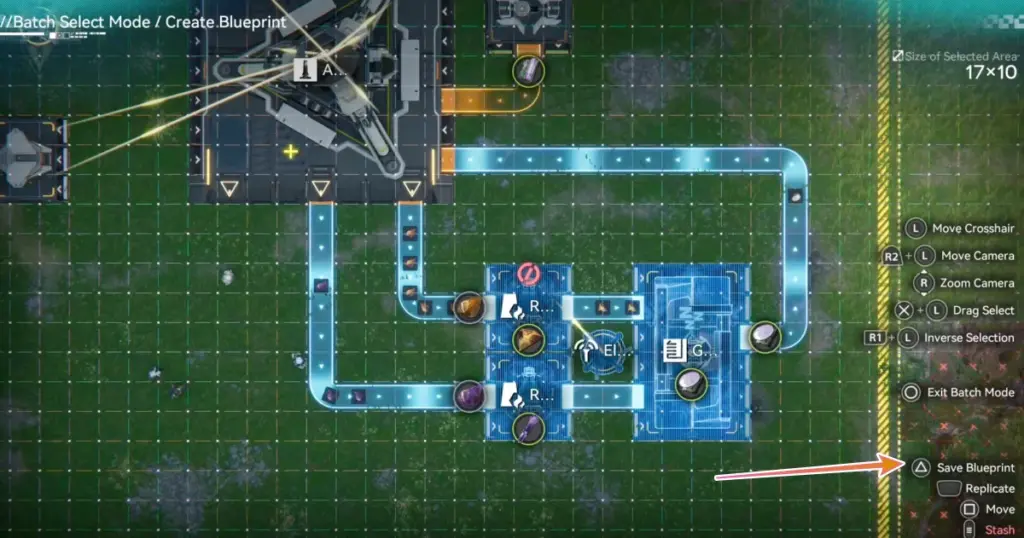
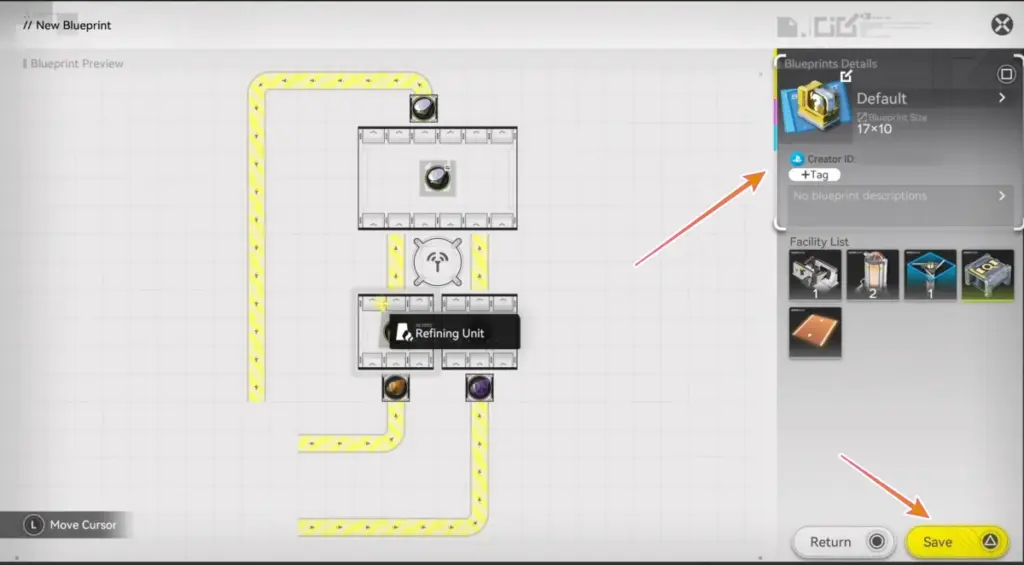
Try to give a good description that explains all the important part of your layout. Tell people what resources it produces, or what its main purpose is. This will be useful if you want to share it for others later.
Submit for Review
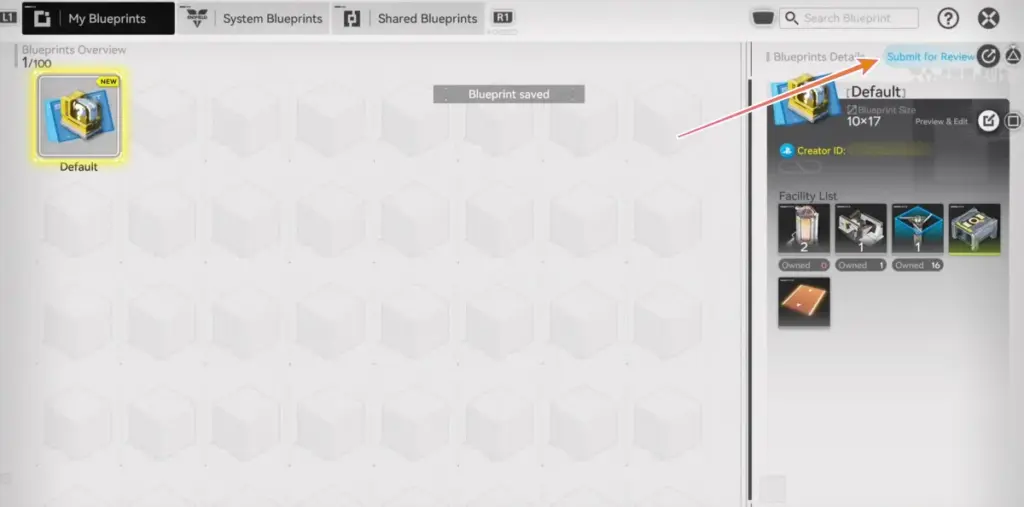
Once you saved your blueprint, you will find it in My Blueprints. But you can't share it yet. You need to click Submit for Review first. The game will then check your blueprint to make sure everything works properly.
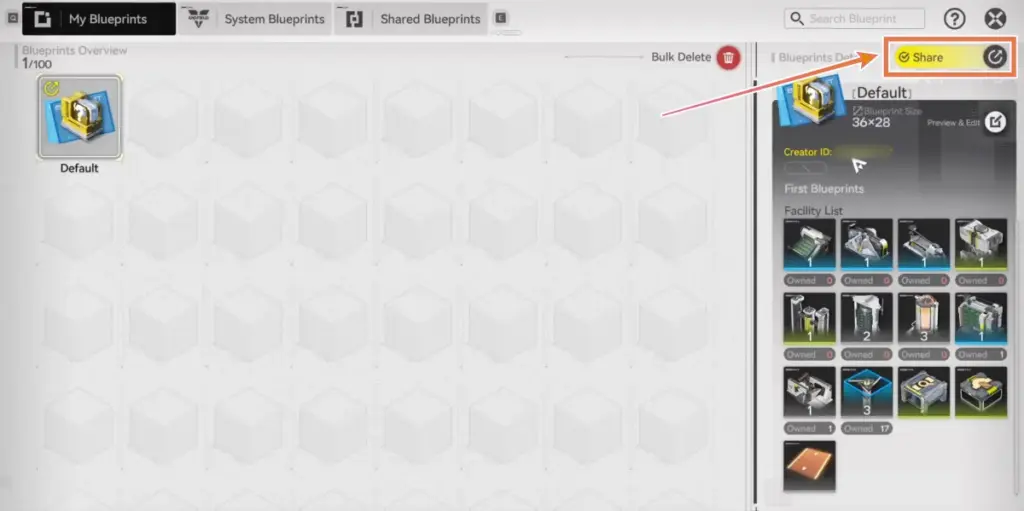
When the review is done, the "Under Review" text changes to "Share". That's when you know it's good to go.
After you successfully created Blueprints, you can share them with your friends. This is one of the multiplayer-social-feature added in the game. You have two main options for sharing:
- Click the Share button on your approved blueprint.
- Select Share with Friends to send it directly to anyone on your in-game friends list.
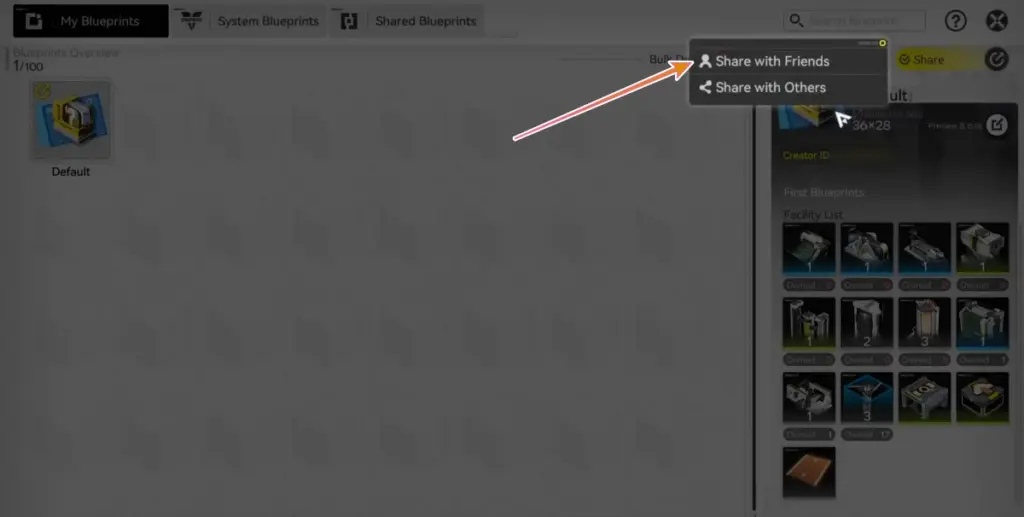
They will get it instantly and can place it in their own AIC right away.
If you want to share outside the game, follow these steps:
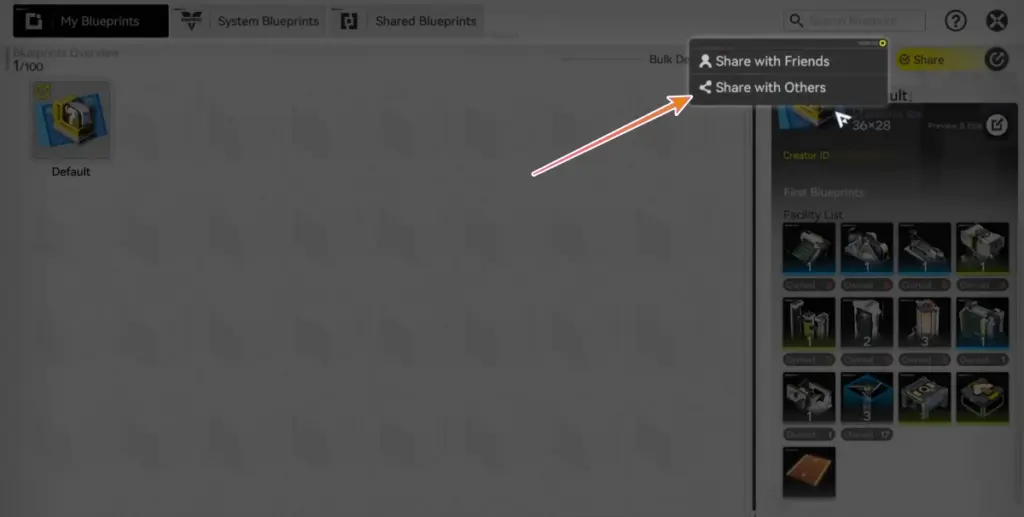
- Click the Share button on your approved blueprint.
- Choose the Share with Others option.
- This will give you a Sharing ID code. You can paste and post this code on Reddit, Discord, anywhere else in the community.
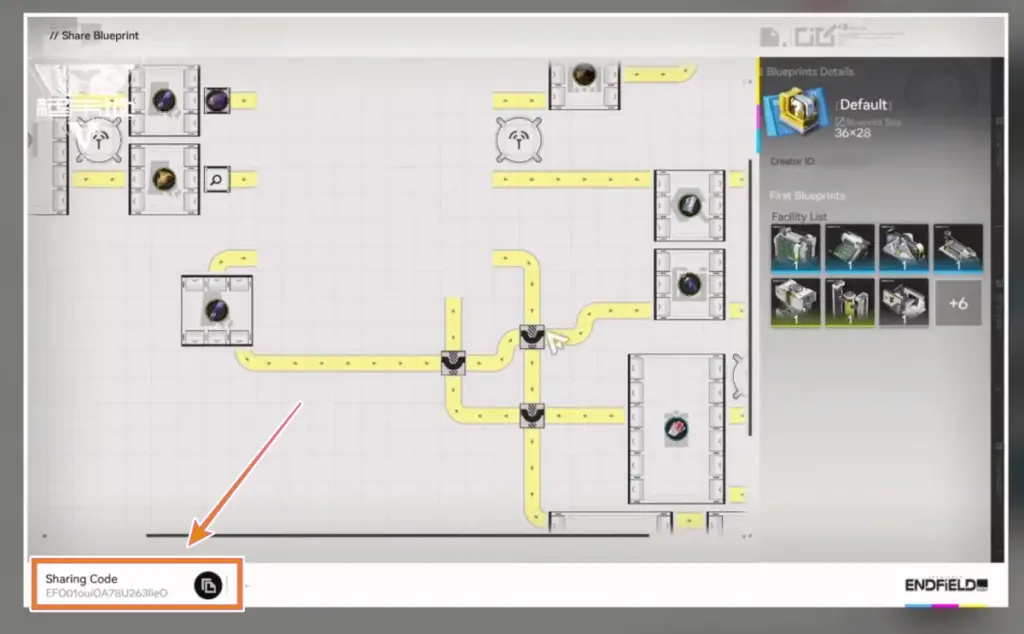
When sharing codes online, you can also include a screenshot of the blueprint layout. This way people can see what they're getting before they import it.
How to Get and Import AIC Blueprints from Other Players
You don't have to create everything yourself. Getting blueprints from other players is actually the smart way to play, too, especially early on. Here are the things you can do:
- Visit Friends' Factories - If you see a layout you like, you can copy their blueprint directly. No codes needed.
- Import Blueprint Codes - If you find a blueprint code online, head to the Shared Blueprints section in your AIC menu. Click Import Blueprint and paste the code you found. The blueprint will show up in your shared blueprints list.
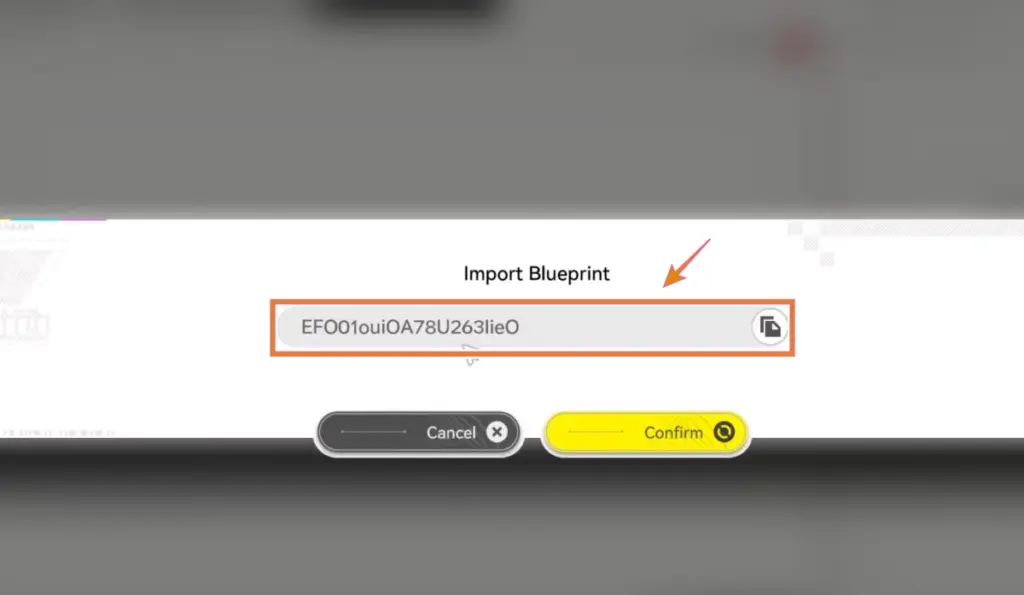
You can find tons of blueprint codes on the Arknights Endfield subreddit. Players share their best factory setups there all the time. YouTube and X are also good places to look. After importing a blueprint, you can Place it in your AIC. The game will automatically build everything according to the blueprint. Just make sure you have enough space and the right facilities unlocked.
AIC Blueprints Limitations
AIC Blueprints in Arknights Endfield are amazing, but they're not a magic solution for everything. There are some important things to understand:
- You can't just grab any blueprint and use it immediately. You need to have the facilities unlocked that the blueprint requires. If someone's blueprint uses advanced buildings you haven't unlocked yet, it won't work.
- The game makes you clear the tutorial for each facility type before you can use blueprints with those buildings. This is actually a good thing because it forces you to learn how the factory works.
- Some buildings can't be saved in blueprints. The game will tell you which ones when you try to save.
While blueprints save time, they don't help you understand why a layout works. If you want to really master the AIC system, you should experiment on your own at some point. Use blueprints to get started, then tweak them as you learn more.